Let’s face the fact. Everyone wants to get the most clicks from adsense to make the most money. It is important to know where and what type of ad unit to place on your site. Therefore, place your google ads strategically and blend them into your site so that your site’s conversion rate is as high as possible.
However, do take note that Google has a limit to how many ads can be placed on a single page and too many ads will turn away your visitors. In addition, users that click on those ads usually don’t return back to your site, so having too many ads may not be necessarily good.
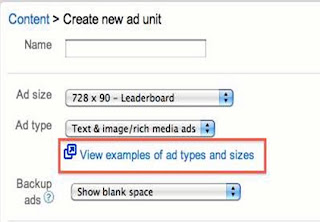
When creating an ad unit with Google Adsense, you can choose the type of ad which will appear in the unit.The three options are:
1.
Text & image/rich media ads.
2.
Text ads only.
3.
Image/rich media ads only.Thus, you may face the dilemma of choosing the most suitable ad type for your site. The answer is “it depends”. There is no “best” ad type for certain type of sites. You will have to try them out yourself to see which type gets the highest conversion rates.
However, I recommend using “Link Ads” for your Google ads as they are the easiest way to blend into your site. Take a look at the photo below

From this site, you can see the “Link Ads” at the top of the post seem to blend in better compared to the “Text Ads” at the bottom of the article.
As such, the conversion rates for the “Link Ads” on this page would definitely be higher than the conversion rates for “Text Ads”.
Thus, blending your ads into your site is the most important factor when choosing the right type of Adsense design.